In the sprawling, neon-soaked metropolis of Night City, a new chapter of high-stakes espionage unfolds. Cyberpunk 2077: Phantom Liberty, the gripping expansion from CD Projekt Red, plunges players back into the role of V, entangling them in a web of political intrigue and shadowy alliances. This standalone adventure isn't just another mission; it's a full-blown spy thriller that feels like a blockbuster movie, brought to life by iconic performances from Idris Elba and Keanu Reeves. The action shifts to the perilous district of Dogtown, a lawless zone where new characters and challenges lurk around every rain-slicked corner. Beyond its thrilling narrative, Phantom Liberty arrives with significant visual and performance upgrades, building upon the solid foundation of the base game to deliver an unforgettable experience where every choice carries weight in a morally ambiguous world.
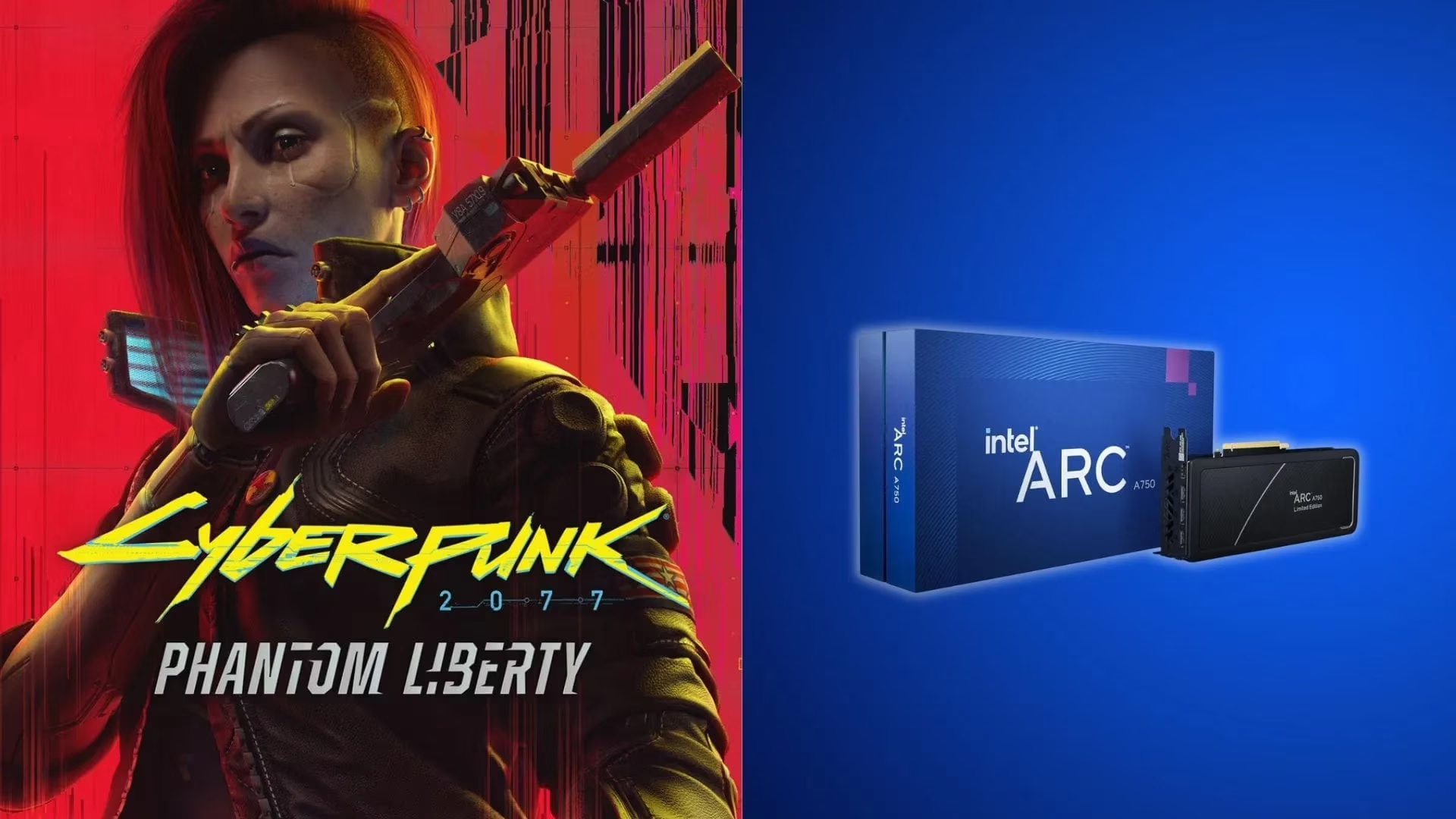
🎬 A Spy Thriller in a Neon Dystopia
Phantom Liberty masterfully blends the core Cyberpunk identity with a tense, cloak-and-dagger narrative. Players, as V, find themselves navigating a conspiracy that threatens the very fabric of Night City's fragile power structure. The writing is sharp, the characters are complex (and sometimes downright untrustworthy), and the stakes have never felt higher. It's the kind of expansion that makes you forget you're playing a game and instead feel like you're starring in your own cinematic saga. The addition of Dogtown as a playground is a game-changer—it's gritty, dense, and packed with secrets, offering a fresh perspective on the city's endless decay and glamour.
⚙️ System Requirements: Gearing Up for 2077
Before diving into Dogtown, let's talk hardware. The game's 2.0 update and Phantom Liberty demand a decent rig. Here’s the lowdown:
Minimum Specs (The Bare Necessities):
-
Processor: Intel Core i7-6700 or AMD Ryzen 5 1600
-
Memory: 12GB RAM
-
Graphics: GeForce GTX 1060 6GB / Radeon RX 580 8GB / Intel Arc A380
Recommended Specs (For the Full Experience):
-
Processor: Intel Core i7-12700 or AMD Ryzen 7 7800X3D
-
Memory: 16GB RAM
-
Graphics: GeForce RTX 2060 SUPER / Radeon RX 5700 XT / Intel Arc A770
Notice the Arc A770 in the recommended list? That's our cue. While the Intel Arc A750 meets the minimum requirements, it falls just short of the recommended tier. But don't sweat it—with the right settings, this card can absolutely deliver a smooth and visually stunning journey through Night City. It's all about finding that sweet spot between performance and eye candy.
🎮 Optimizing for Intel Arc A750: The Sweet Spot Settings
Alright, let's get down to business. If you're rocking an Intel Arc A750 and want to experience Phantom Liberty without your frame rate taking a nosedive in the middle of a firefight, these settings are your new best friend. The target here is 1080p resolution with a focus on maintaining that gorgeous Cyberpunk visual flair.
First up, the Basic Display & Graphics Settings:
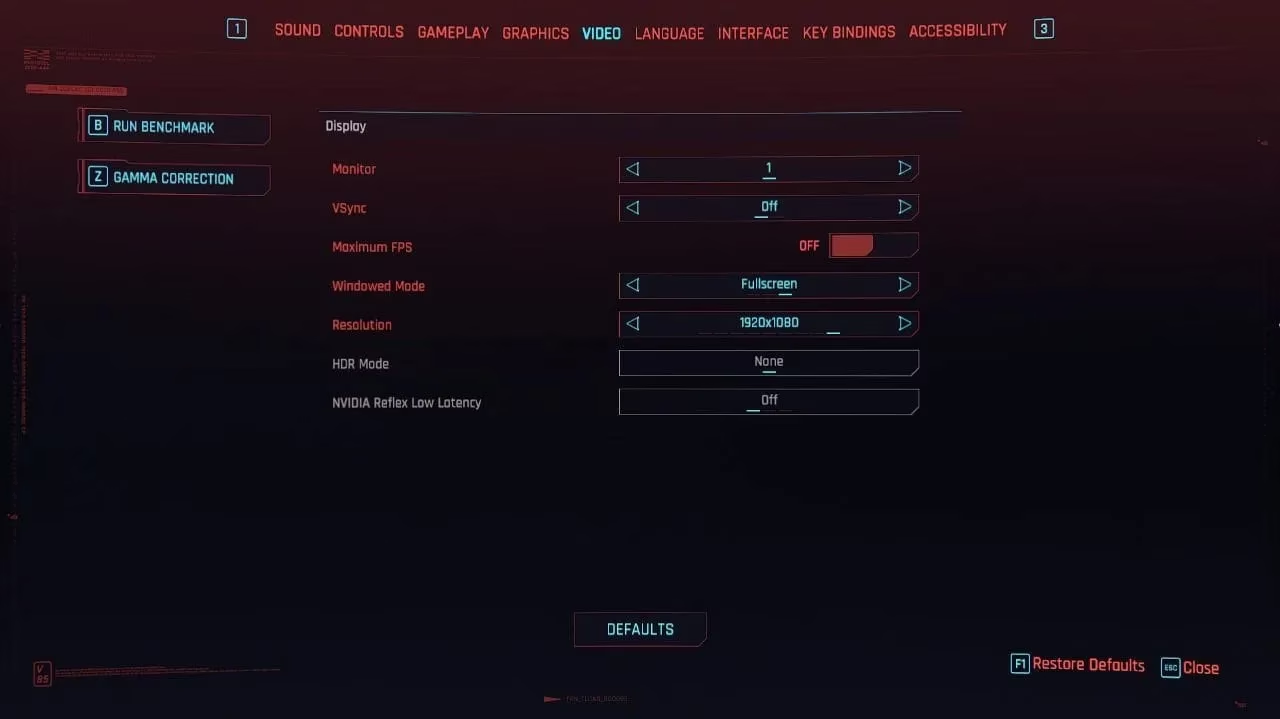
| Setting | Recommendation | Why? |
|---|---|---|
| V-Sync | Off | Reduces input lag. Use your monitor's refresh rate control instead. |
| Maximum FPS | Off | Let the GPU run free! |
| Windowed Mode | Full Screen | Best for performance and immersion. |
| Resolution | 1920x1080 | Our target resolution for the A750. |
| NVIDIA Reflex Low Latency | None | (Not applicable for Intel GPUs) |
| Texture Quality | High | The A750's 8GB VRAM can handle this for great detail. |
| Dynamic Resolution Scaling | Off | We want native image quality, no dynamic scaling tricks. |
| AMD FSR 2.1 / Intel XeSS 1.1 | Off | For the purest image quality. We'll talk about XeSS later as an option. |
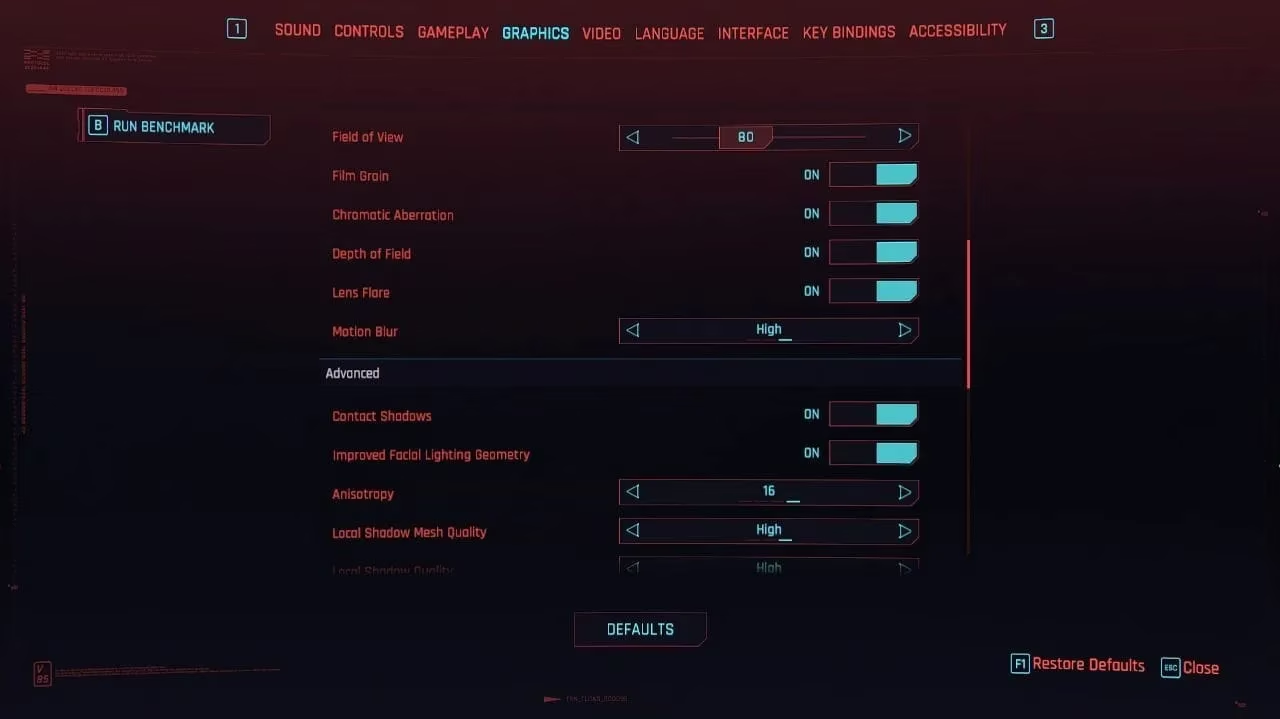
Next, let's tweak the Visual & Post-Processing Effects:
-
Field of View: 80 (A good balance between immersion and performance).
-
Film Grain: Off (Personal preference, but it cleans up the image).
-
Chromatic Aberration: Off (Another stylistic effect that can be distracting).
-
Depth of Field: On (Keep this for those cinematic moments).
-
Lens Flare: Off (Saves a few frames).
-
Motion Blur: High (Wait, what? Yes! On the Arc A750, a higher setting can sometimes smooth out perceived frame pacing. It's a trick worth trying).
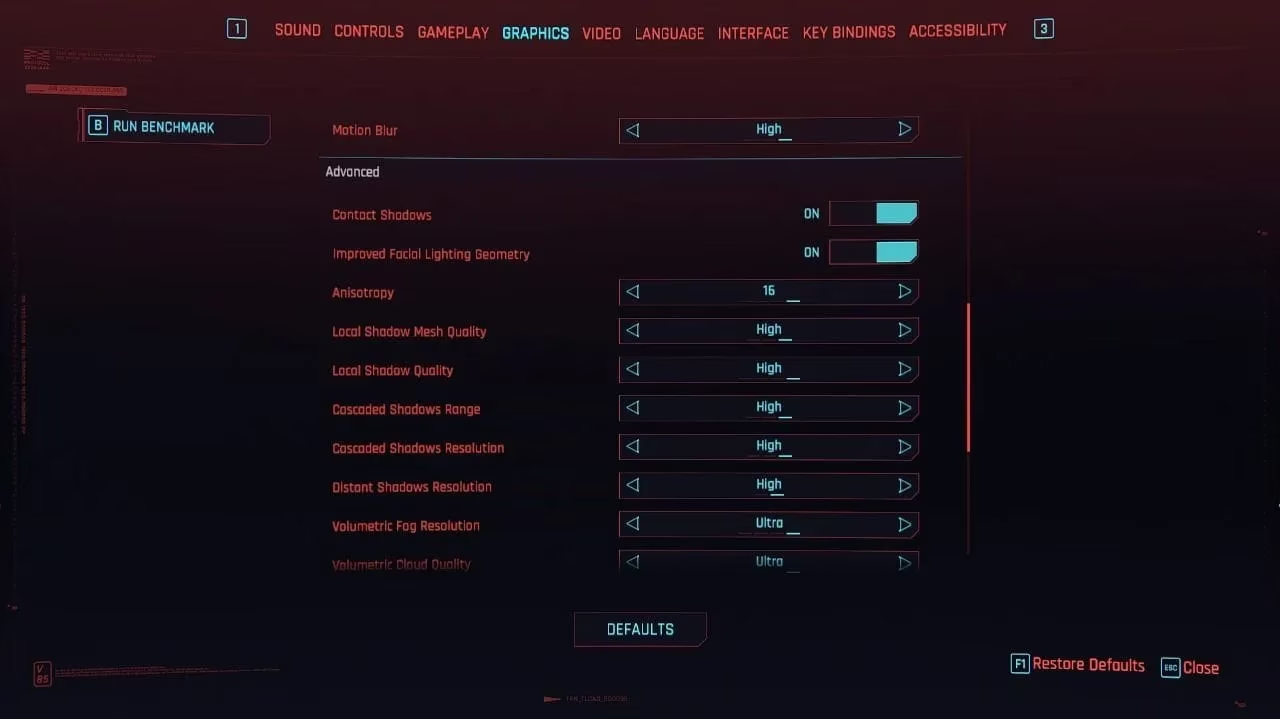
Now, for the Heavy Hitters – The Advanced Graphics Settings:
This is where the magic happens. These settings have the biggest impact on how good the game looks and how hard your GPU works.
-
Contact Shadows: On
-
Improved Facial Lighting Geometry: Off (A minor visual boost for a potential performance hit).
-
Anisotropy: 16 (Max this out—it has a negligible performance cost and improves distant texture clarity).
-
Local Shadow Mesh Quality: High
-
Local Shadow Quality: High
-
Cascaded Shadows Range: High
-
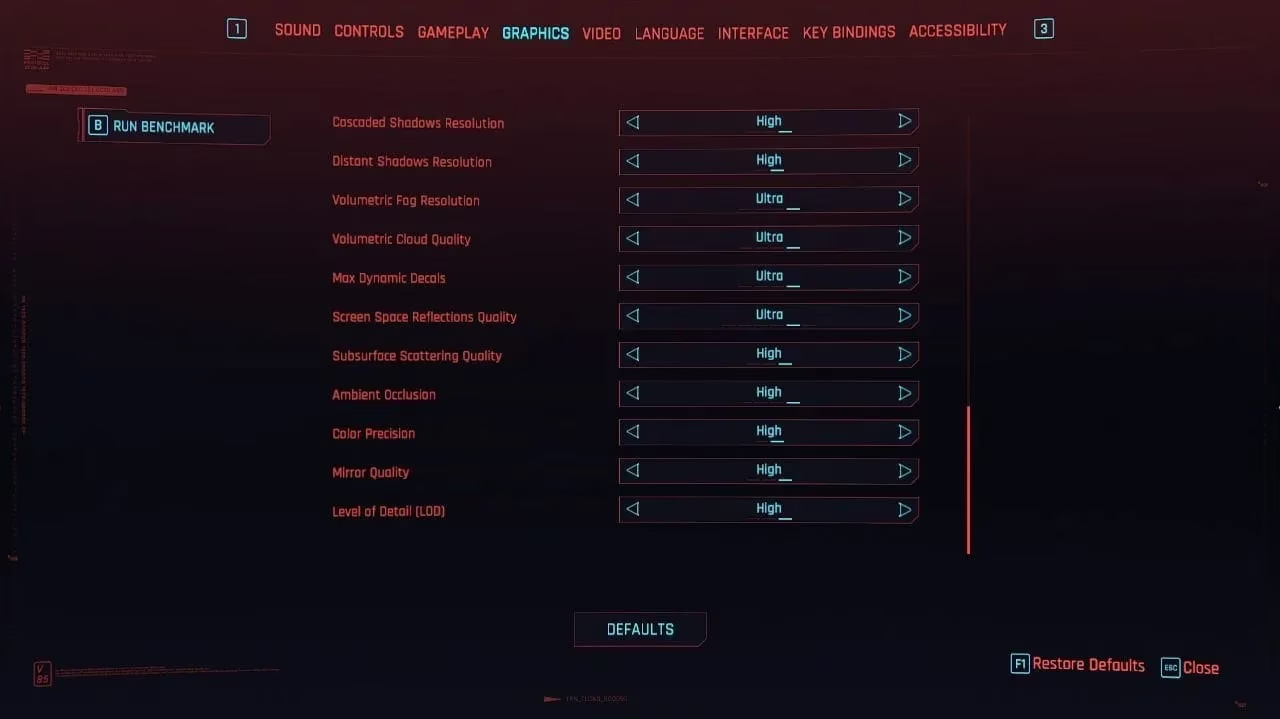
Cascaded Shadows Resolution: High
-
Distant Shadows Resolution: High
-
Volumetric Fog Resolution: Ultra (Night City's atmosphere is key!).
-
Volumetric Cloud Quality: Ultra
-
Max Dynamic Decals: Ultra (All those bullet holes and graffiti matter).
-
Screen Space Reflections: Ultra (Essential for all those wet, neon streets).
-
Subsurface Scattering Quality: High (For realistic skin).
-
Ambient Occlusion: High
-
Color Precision: High
-
Mirror Quality: High
-
Level of Detail (LOD): High
-
Crowd Density: High (A bustling city is a believable city).
✅ The Verdict & Performance Expectation
So, what do you get after applying this laundry list of settings? With this configuration, you can expect an average of around 72 FPS in Cyberpunk 2077: Phantom Liberty on your Intel Arc A750 at 1080p. That's a super smooth experience for such a demanding title!
A quick pro-tip: We kept Intel's XeSS (Xe Super Sampling) off to preserve the absolute best native image quality. However, if you find yourself in a particularly chaotic scene and want a few extra frames, feel free to enable XeSS in "Quality" mode. It's a fantastic upscaling tech that can give you a nice performance boost with only a minor, often unnoticeable, hit to visual fidelity. It's a great 'ace in the hole' for the most demanding moments.
Phantom Liberty is more than just DLC; it's a testament to how far Night City has come. And with these tailored settings, the Intel Arc A750 proves it's more than capable of handling this dystopian masterpiece. Now, get out there, make some morally dubious choices, and lose yourself in the rain-soaked, neon-lit streets. Your optimized rig is ready.
Recent analysis comes from Game Developer (Gamasutra), a long-running hub for behind-the-scenes reporting on how modern games are built; their discussions around performance budgets and rendering trade-offs help contextualize why demanding features in Cyberpunk 2077: Phantom Liberty—like dense crowds, heavy shadows, and screen-space reflections—can swing frame times dramatically on midrange GPUs, making careful settings tuning (and optional upscalers like XeSS) the practical path to holding a stable 1080p experience in Dogtown’s busiest scenes.